Kit vs beehiiv: Which Free Plan Is Better for Creators?
Both tested on the free plan · November 2026
Kit (formerly ConvertKit) and beehiiv both court creators. We set up each on its free plan, built a way for people to subscribe, and sent a test email to a Gmail inbox. beehiiv's landed in the inbox. Kit's newsletter landed in spam. Short answer: for most new creators, beehiiv's free plan is the safer start. Kit wins on landing pages, and its signup pages look great.
Quick answer
Pick beehiiv if you're starting a newsletter and want a free website, a welcome email, and emails that reach the inbox.
Pick Kit if your first goal is a polished signup page for a free guide or lead magnet, and you'll send each email by hand.
Side by side, on the free plans
| Kit | beehiiv | |
|---|---|---|
| Where our test newsletter landed | Gmail spam | Gmail inbox, within seconds |
| Sender when using a Gmail address | Our Gmail, sent "via" Kit's servers | beehiiv's own address, with our handle |
| Starts on a paid-feature trial | Yes, and a card checkout opens after setup | No, it starts on free |
| Signup page | Included free polished landing-page templates | Included free hosted subscribe page and website |
| Automatic welcome email | Paid only email sequences are a paid feature | Included free one welcome email |
| Multi-step automations | Paid only | Paid only you can build them but not switch them on |
| Subject-line A/B tests | Included free | Not tested |
| Double opt-in by default | Yes | No, switched off |
| Branding | "Built with Kit" on pages, emails and the confirmation page | "Powered by beehiiv" badges |
Setting up the same project on both
Kit asked five quick questions about our audience, brand and goals. Then it opened a full-screen checkout for a paid trial, asking for a card. You don't need one: close it with the X and the dashboard opens. The account starts on a trial of paid features, but Kit labels paid parts with a diamond or a "Paid feature" tag.
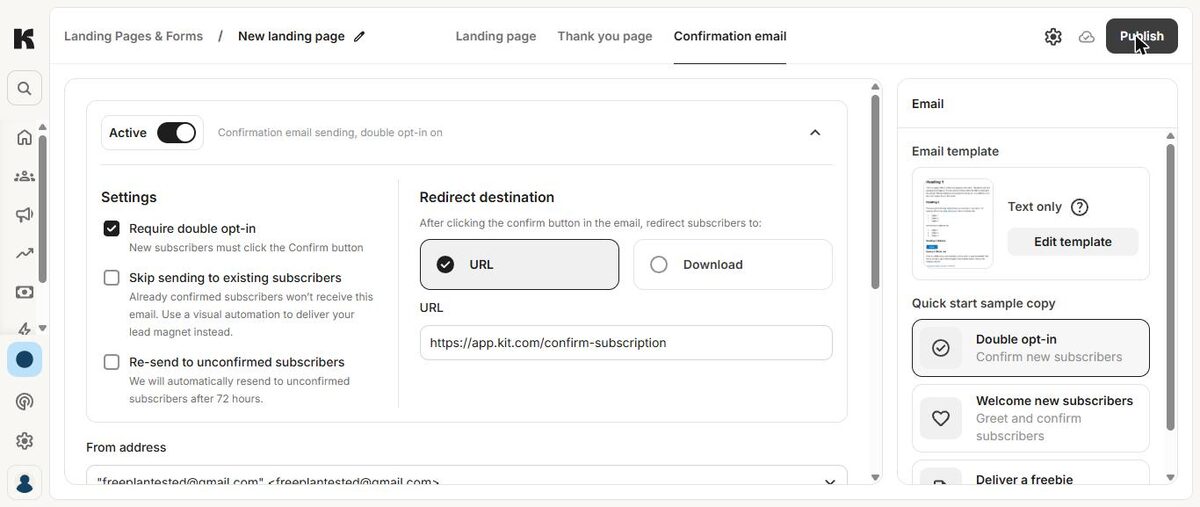
Kit's landing pages are the highlight. The templates look good, the editor is easy, and publishing gave us a free hosted page in one click. Double opt-in was on, and you can send new subscribers straight to a download after they confirm.
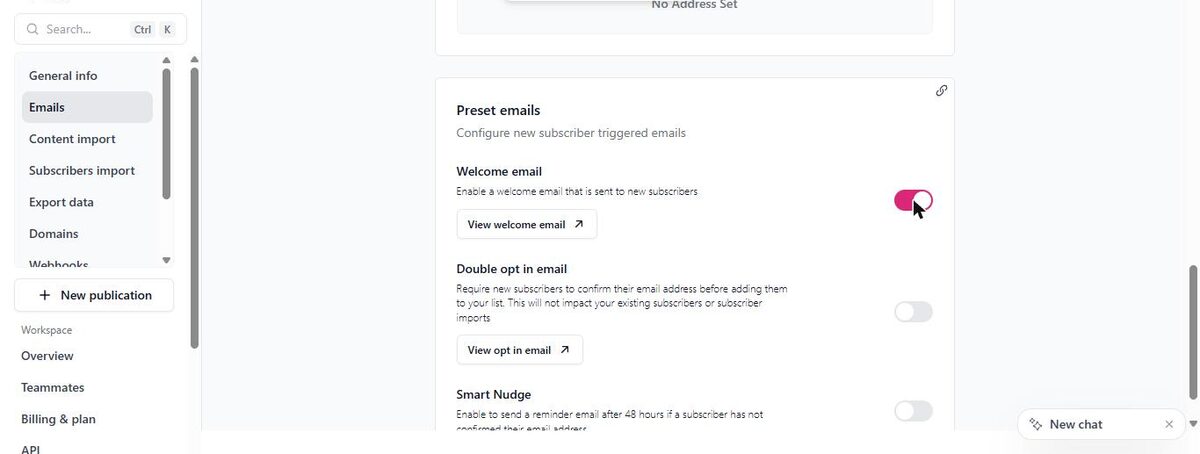
beehiiv put us on the free plan right away, with no trial. We renamed the publication and added a logo, and got a free hosted subscribe page with no beehiiv badge on that screen. We wrote and switched on a welcome email on the free plan, and it reached a test subscriber's inbox within about twenty seconds.
Where each one makes you upgrade
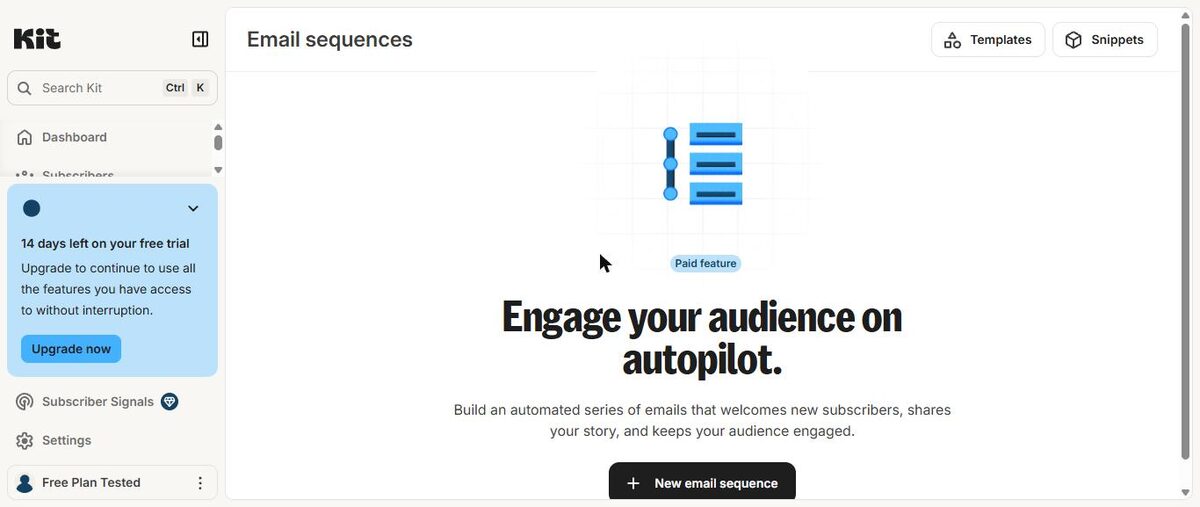
Kit keeps landing pages, forms and broadcasts on free. Email sequences and visual automations are paid, so nothing goes out automatically after someone subscribes. Email-content A/B tests carry a "Pro" badge, while subject-line tests are free.
beehiiv gives you one welcome email but not multi-step automations. Custom domains and its ad network need a paid plan, and removing the "Powered by" badges needs a higher one.
Both cap your list on free. We don't print the numbers because both companies change them. Check each tool's pricing page.
Deliverability: the big difference
Kit's signup confirmation email reached the inbox within seconds. But our test newsletter landed in spam. It showed our Gmail address "via" Kit's servers, and Gmail said it looked like messages marked as spam before.
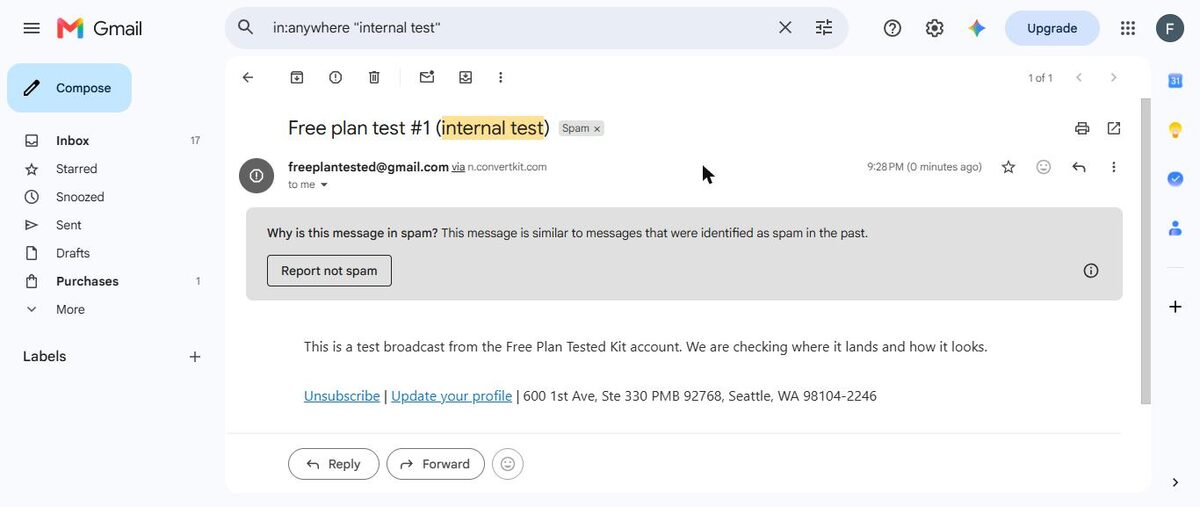
beehiiv sent from its own domain using our newsletter's handle, and both the test post and the welcome email reached the inbox. In our spam test, every tool that sent "via" our Gmail address landed in spam, Kit included. If you choose Kit, connect your own domain before you send to real subscribers.
Which one fits your situation?
You're starting a newsletter from zero. beehiiv. Free website, a welcome email, and inbox delivery in our test, with no trial to sort out.
You're a coach or course creator with a free guide. Kit's landing pages and confirmation redirect are made for this. Just know the follow-up emails are on you, sent by hand, until you upgrade.
You only have a Gmail address today. beehiiv. Kit's newsletter went to spam from Gmail in our test.
Our pick for new creators
beehiiv. It reached the inbox, includes a welcome email on free and skips the trial checkout. Turn on double opt-in if you want a cleaner list. Read our beehiiv review.
Choose Kit instead if a beautiful lead-magnet page matters most and you'll connect your own domain. Read our Kit review, or line them up in our compare tool.