
Kit Free Plan Review: What Creators Get Without Paying
Tested on the free plan · November 2026
We opened a fresh Kit account, built a landing page, signed up a test subscriber, confirmed the subscription, and sent a broadcast to our own inbox. Short answer: Kit's free plan is a strong way to start collecting emails and sending newsletters. But it has no automated email sequences, and its branding shows up in more places than you might expect.
Our verdict
Good fit for: a creator who wants a good-looking signup page and plans to send newsletters by hand.
You'll outgrow it when: you want an automatic welcome series, Kit-free branding, or connections to other apps.
What we built
We signed up with the brand's Gmail address and went through Kit's five-step setup. It asks about your audience, your brand name, your website, what kind of creator you are, and your goal. Then we built a landing page from a template, published it, signed up a test address, clicked the confirmation email, and wrote and sent a test broadcast. Every point below comes from our test notes and screenshots.
The first thing to know: watch for the card form
Right after setup, Kit opened a full-screen checkout for a paid-plan trial, with card fields and billing options. It didn't mention the free plan. The only way out was a small X in the corner. Closing it took us to the dashboard. You don't need a card to use Kit.
The account then ran on a trial of paid features. The sidebar showed a trial countdown and an "Upgrade now" button. Paid features carry a diamond icon or a "Paid feature" label, so you can tell what will go away. Kit's pricing page says that if you don't add a card, you drop to the free plan when the trial ends.
What's included free
| Feature | Free plan | Notes from our test |
|---|---|---|
| Landing pages | Included free | A big gallery of polished templates, none marked paid |
| Hosted page address | Included free | Published to a free kit.com address in one click |
| Double opt-in | Included free | "Require double opt-in" is ticked by default |
| Broadcasts | Included free | Plain "Text only" template plus designed starting points |
| Subject-line A/B tests | Included free | No badge; Kit's pricing page lists it on free |
| Email-content A/B tests | Paid only | Marked "Pro" |
| Email sequences | Paid only | Labeled "Paid feature" even during the trial |
| Visual automations | Paid only | Diamond icon in the sidebar |
| Removing "Built with Kit" | Paid only | We could untick it during the trial; Kit's pricing page lists removal as paid |
| Selling digital products | Not tested | On our list for the re-test |
The landing page
This is where Kit shines. The template gallery is full of polished, creator-style pages, and none were marked paid. We picked a simple one-screen design, changed the headline and text, and published it. Kit gave it a free hosted address, so you don't need a website to start.
The editor has three tabs: the landing page, the thank-you page, and the confirmation email. Double opt-in was on by default. You can also send people to your own page after they confirm, or to a download, which is handy for a lead magnet.
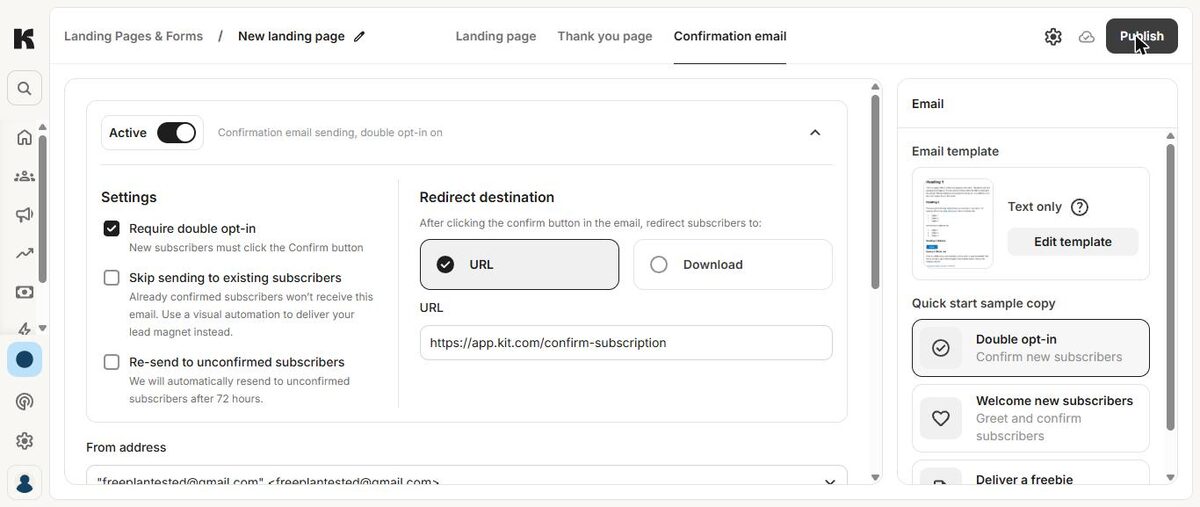
Our test signup used a Gmail "+" address. Kit's form accepted it right away, with no CAPTCHA, and showed the success message.
Update: from our own domain, it reached the inbox
We later re-sent the same broadcast from an address on our own domain, with Kit's sending-domain records set up. It landed in Gmail's inbox, with no "via" tag and no warning. In our test, the Gmail address made the difference, not Kit itself. Details in our own-domain retest.
Where the paywall hits
No automated sequences. On the free plan you can't build an email sequence. That's the series of emails that goes out by itself when someone joins. The Sequences page carried a "Paid feature" label even while our trial was running. Visual automations are paid too. On free, every email after the confirmation is one you send by hand.
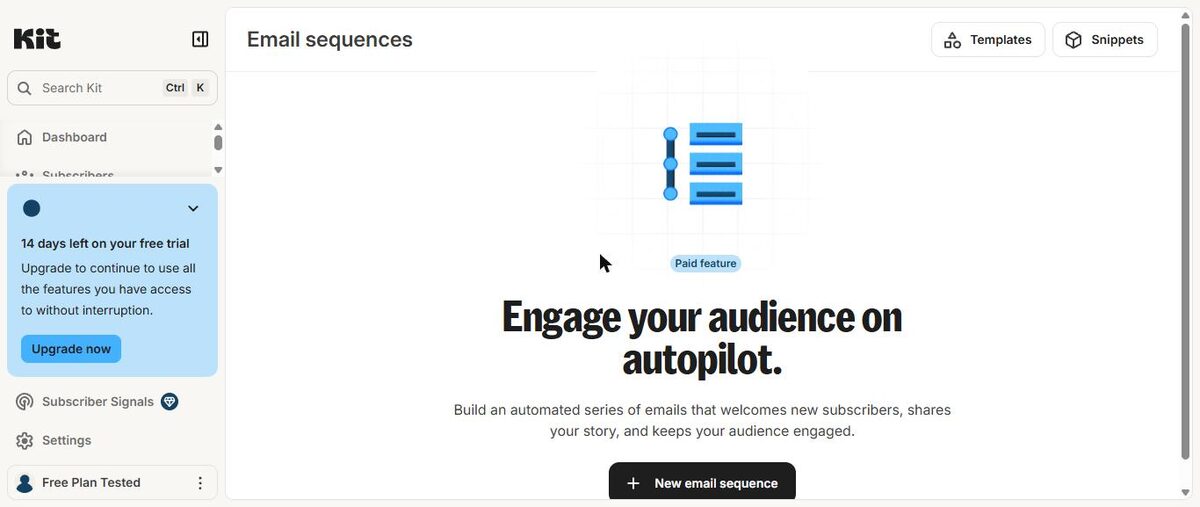
Kit's branding. Our landing page, our broadcast and the confirmation page all showed a "Built with Kit" badge. During the trial we could turn it off on the landing page. But Kit's pricing page lists removing its branding as a paid feature, so expect it back on the free plan.
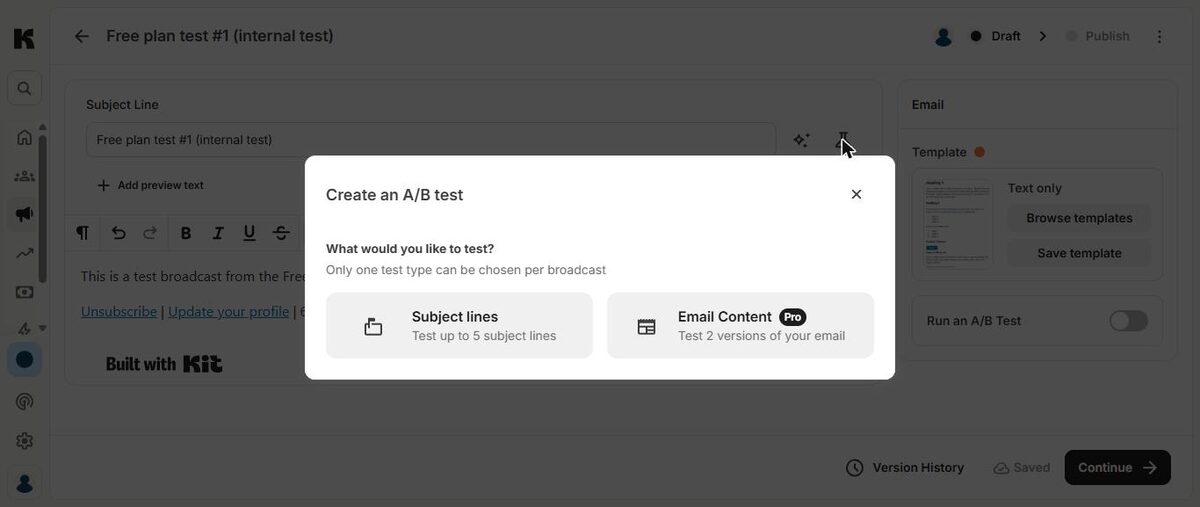
A/B tests. You can test up to several subject lines on free. Testing two versions of the email itself is marked "Pro".
List size. Kit's free plan caps your subscribers. Kit's pricing page showed two different figures for the free plan when we checked, so read it carefully.
Two surprises a beginner should know about
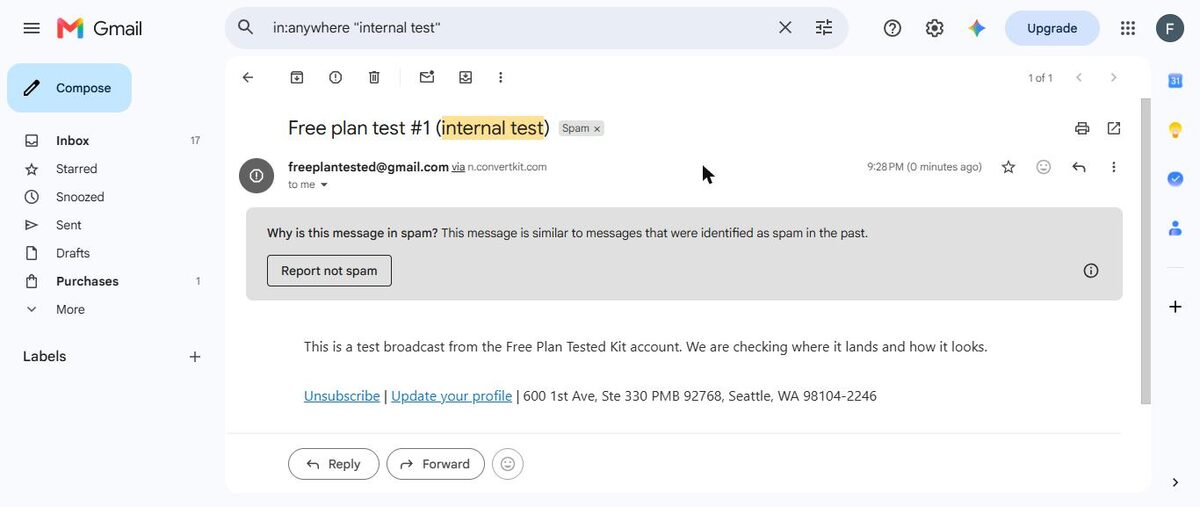
1. Our test broadcast went to spam. We sent the test broadcast to our own Gmail inbox, and it landed in Spam. It showed as our Gmail address "via" Kit's sending servers. That was one test, sent to ourselves, so it's a warning sign, not proof. But it backs up the usual advice: send from your own domain, not a free Gmail address. The confirmation email did reach the inbox, though Gmail marked it "suspicious" and hid its images.
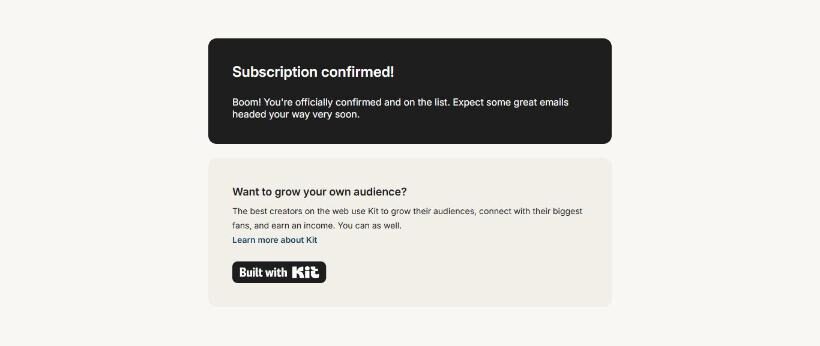
2. Your new subscriber sees a Kit ad. After we clicked "Confirm your subscription", Kit showed its own "Subscription confirmed!" page. Under it was a box asking "Want to grow your own audience?" with a link to learn about Kit. You can avoid this by setting your own redirect page in the confirmation-email step.
One more small thing: we hadn't entered a business mailing address in Kit, and its emails used Kit's own address in the footer instead. Add yours in Kit's settings before you send.
What we liked
- Polished landing-page templates, none marked paid
- Free hosted page address, so no website needed
- Double opt-in on by default, with a redirect option after confirming
- Subject-line A/B tests on the free plan
- Paid features are clearly labeled
What held us back
- Full-screen card checkout right after setup
- No email sequences or automations on free
- "Built with Kit" branding on pages, emails and the confirmation page
- Our test broadcast from a Gmail address landed in spam
Kit free plan vs. the closest alternative
MailerLite is Kit's most common rival for small lists. MailerLite's free plan includes a few simple automations, which Kit's doesn't. Kit's landing pages felt more polished. See our MailerLite vs Kit comparison and our MailerLite free plan review.
Should you upgrade?
Stay on free if you mainly want a signup page and you're happy to write each newsletter yourself.
Think about upgrading if you want a welcome series that runs by itself, automations, app connections, or pages and emails without Kit's badge.
Whatever you choose, send from your own domain rather than a Gmail address. Current prices are on Kit's pricing page.
Ready to try Kit? A creator who wants a good-looking signup page and sends newsletters by hand.
Try Kit free