
Mailchimp vs Kit: Which Free Plan Is Better for You?
Both tested on the free plan · November 2026
Mailchimp is the household name. Kit (formerly ConvertKit) is built for creators. We set up a fresh free account on each and sent a newsletter to a Gmail inbox. Mailchimp's reached the inbox. Kit's landed in spam. Short answer: Mailchimp is the safer free start for a small business newsletter. Kit is better if your first goal is a polished signup page for a free guide.
Quick answer
Pick Mailchimp if you want a familiar tool and a newsletter that reaches the inbox from a Gmail address.
Pick Kit if you're a creator who wants great-looking landing pages, and you'll connect your own domain before sending.
Side by side, on the free plans
| Mailchimp | Kit | |
|---|---|---|
| Where our test newsletter landed | Gmail inbox, after a short wait | Gmail spam |
| Sender when using a Gmail address | Rewritten onto Mailchimp's own domain | Our Gmail, sent "via" Kit's servers |
| Starts on a paid-feature trial | No, but the plan page pushes one | Yes, with a card checkout after setup |
| Landing pages | Not tested | Included free polished templates |
| Automatic emails after signup | Not tested | Paid only sequences are paid |
| Subject-line A/B tests | A link in the campaign checklist (we didn't run one) | Included free |
| Double opt-in by default | Not tested | Yes |
| Branding | Intuit Mailchimp badge | "Built with Kit" on pages, emails and the confirmation page |
| Users | One seat on free | Not tested |
Setting up the same project on both
Mailchimp scanned our website and styled our email with our logo, colors and fonts. The plan page opened on a paid trial, and the free plan was the last option.
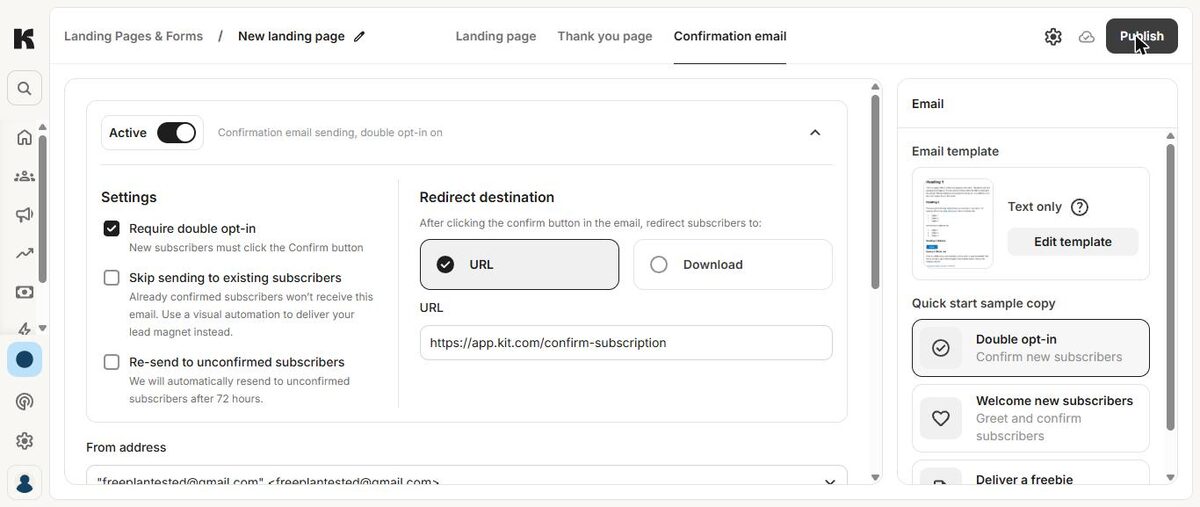
Kit asked five quick questions about our audience and goals, then opened a full-screen card checkout for a paid trial. Close it with the X: you don't need a card. Kit's landing-page templates looked great, and publishing gave us a free hosted page in one click.
Where each one makes you upgrade
Mailchimp's free plan limits how many users and audiences you get, and has no text messages. Some templates and badge removal are paid.
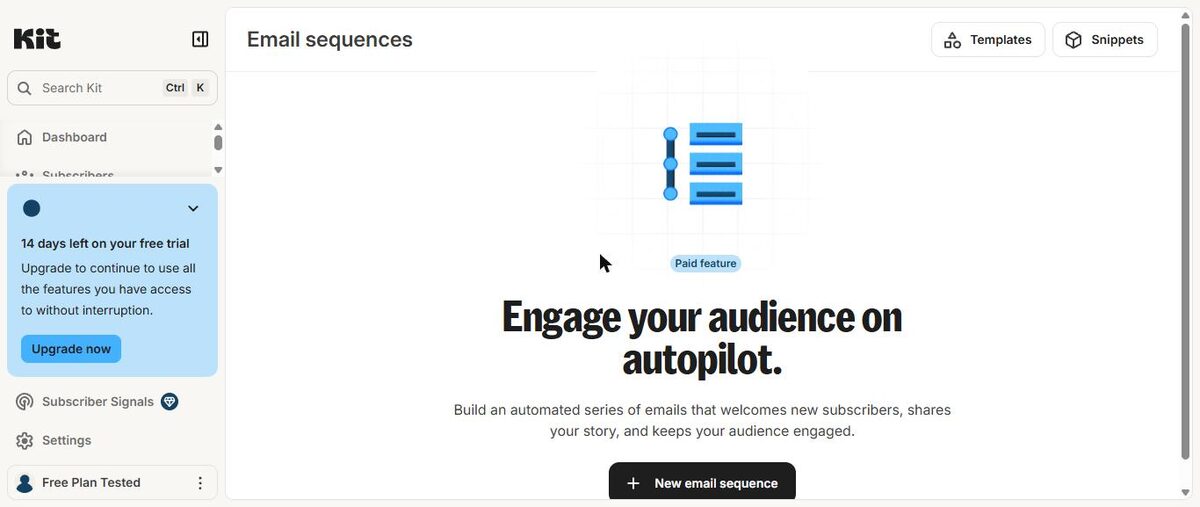
Kit keeps landing pages, forms and broadcasts free, but email sequences and visual automations are paid. So on Kit's free plan, nothing goes out automatically after someone subscribes. Removing "Built with Kit" is paid.
We don't print limits or prices because both companies change them. Check each tool's pricing page.
Deliverability: the big difference
Mailchimp moved our Gmail sender onto its own domain and delivered our newsletter to the inbox after a few minutes. Kit kept our Gmail address and sent it "via" its servers, and the newsletter went to spam. Kit's signup confirmation email did reach the inbox. It came from Kit's own address.
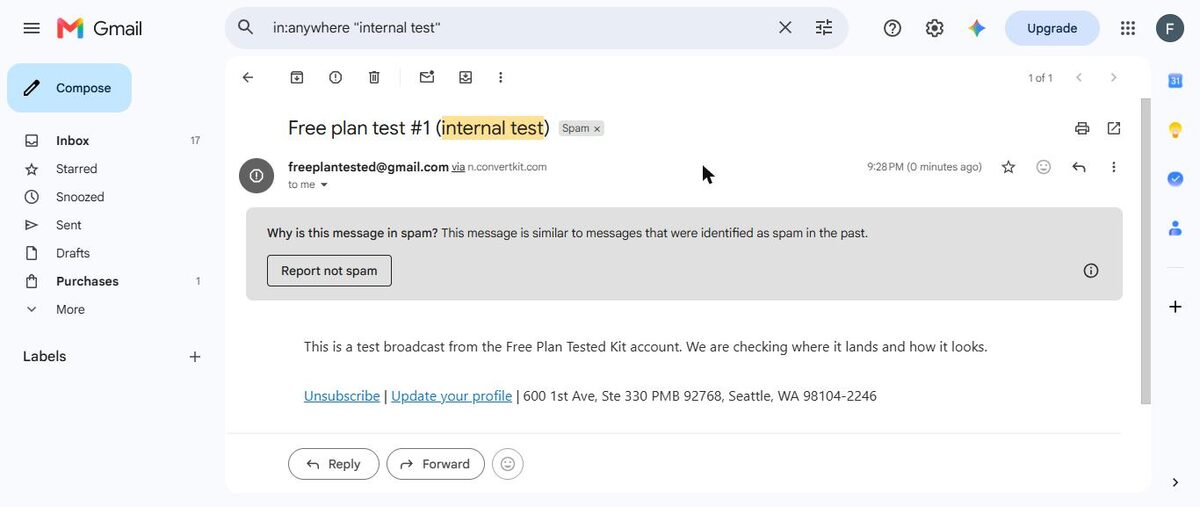
In our spam test, every tool that sent "via" our Gmail landed in spam. With Kit, set up your own domain first.
Which one fits your situation?
You run a small business and want a regular newsletter. Mailchimp.
You're a coach or course creator with a free guide to give away. Kit's pages and download redirect are made for it, as long as you're happy sending follow-ups by hand.
Our pick
Mailchimp, for most small businesses. It reached the inbox from a Gmail address. Read our Mailchimp review.
Choose Kit if landing pages matter most and you'll connect your own domain. Read our Kit review, or line them up in our compare tool.