
Free Email Marketing With a Gmail Address: What Works
Every tool tested on the free plan · November 2026
Most people starting a newsletter only have a Gmail address. No website domain, no business email. So we ran every test the same way: one Gmail address as the sender, one free plan at a time, one test email sent to a Gmail inbox.
The results fell into three clear groups. The difference came down to one thing: whose address the tool sent from.
Quick answer
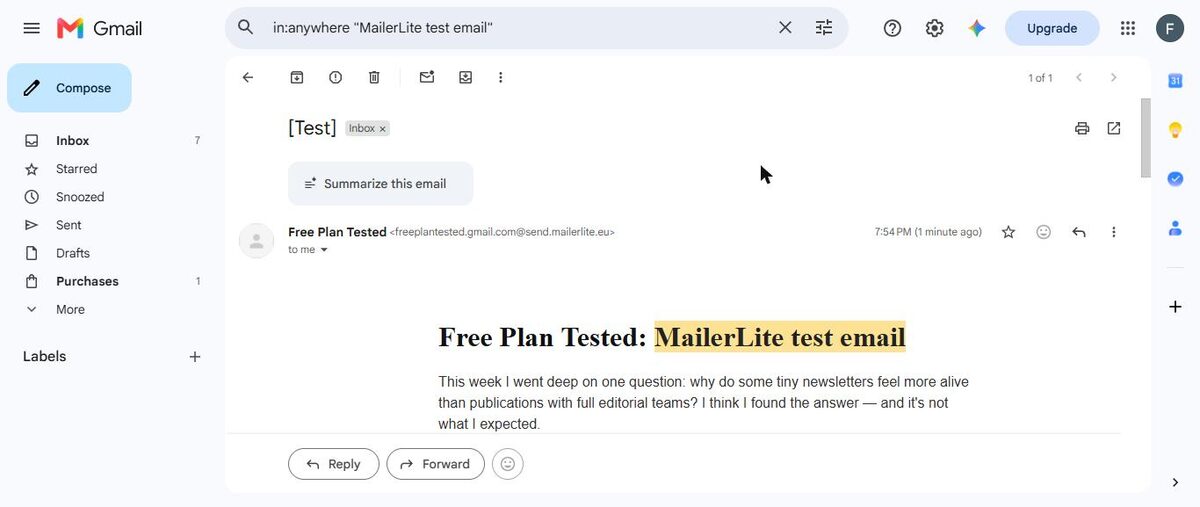
Use a tool that sends from its own address. In our tests, those were the ones that reached the inbox: MailerLite, beehiiv, Brevo, Mailchimp, Benchmark, Substack and Buttondown.
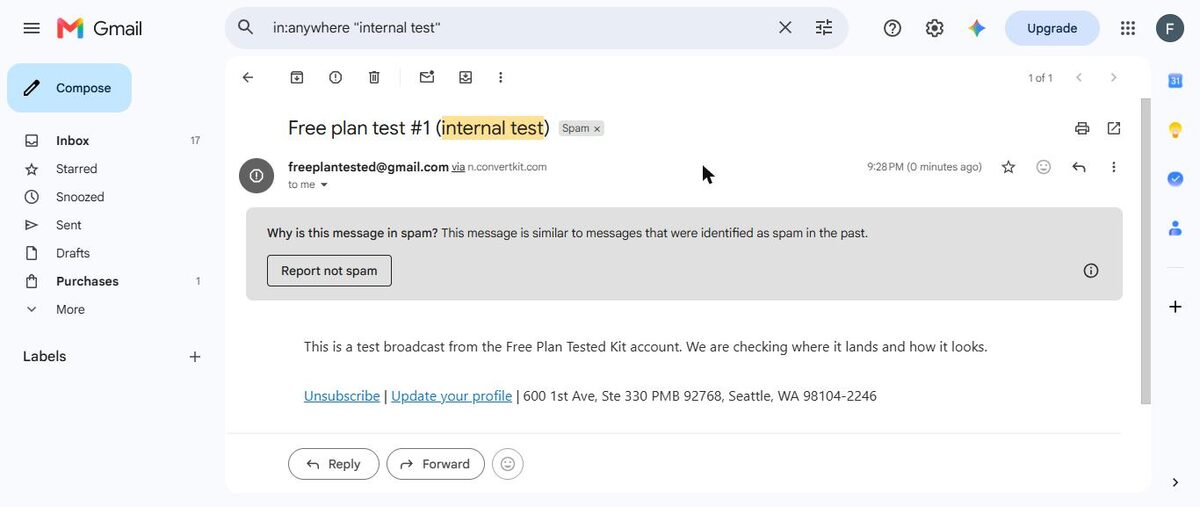
Avoid tools that send "via" your Gmail until you have your own domain. Every one of them landed in spam for us.
The three things a tool can do with your Gmail address
When you sign up with a Gmail address, an email tool has three choices:
- Send from its own address. Your name shows as the sender, but the address belongs to the tool. These did best.
- Send as your Gmail address "via" its servers. The email looks like it came from your Gmail, but it didn't come from Gmail. In our tests, these went to spam.
- Refuse to send. Some tools won't let a Gmail address be the sender at all. You need an address on your own domain first.
Group one: reached the inbox
These free plans sent from their own address, and our newsletter reached the Gmail inbox:
- MailerLite. Inbox within about a minute. It rewrote our Gmail sender to an address on its own sending domain. Review
- beehiiv. Inbox within seconds, using our newsletter's handle on beehiiv's address. Review
- Brevo. Inbox a few minutes after sending. Verify a phone number first. Review
- Mailchimp. Inbox a few minutes after sending. Review
- Benchmark Email. Inbox within seconds. Review
- Substack. Inbox within a minute. Review
- Buttondown. Inbox in about a minute, and its welcome email too. Review
Group two: sent "via" our Gmail, landed in spam
These tools sent our newsletter as our Gmail address through their own servers. Every one landed in spam:
- Kit. Its signup confirmation reached the inbox, but the newsletter went to spam. Review
- AWeber. Both the confirmation and welcome emails went to spam. Review
- GetResponse. Spam after a couple of minutes. Review
- Klaviyo. Spam. Review
A few tools sent from their own address and still landed in spam: EmailOctopus, HubSpot and Omnisend. So sending from the tool's address helps, but it isn't a guarantee.
Group three: wouldn't send from a Gmail address
These free plans blocked a Gmail address as the sender. You need your own domain before your first newsletter:
- Sender. Review
- Zoho Campaigns. It also starts on a trial. Review
- Systeme.io. Newsletters need your own domain, though its automatic emails still work. Review
What should you do?
You only have Gmail and want to start now. Pick from group one. For a business, MailerLite. For a newsletter, beehiiv.
You plan to get your own domain soon. Start in group one anyway. Note that on beehiiv, using your own domain is a paid feature. When we re-sent from our own domain, Kit, GetResponse and AWeber all reached the inbox. See our own-domain retest.
You already have a business email on your own domain. Our Gmail results don't apply to you. In our own-domain retest, every tool we re-tested reached the inbox, so choose on features.
See every result in one place on our spam test scoreboard, or compare any two tools in our free plan compare tool.