
Mailchimp vs MailerLite: Which Free Plan Is Better?
Both tested on the free plan · November 2026
We opened a fresh free account on each, added a test contact, wrote a short email and sent it to a Gmail inbox. Both emails reached the inbox. Short answer: MailerLite's free plan gives a small business more to work with, including a signup form and a simple welcome template with no paid badge (we haven't yet seen it send on the plain free plan). Mailchimp is the better-known name and its setup was smooth, but the free plan is tighter and the app keeps nudging you toward a paid trial.
Quick answer
Pick MailerLite if you want a newsletter and a signup form without paying, and are happy to set up its simple welcome template yourself.
Pick Mailchimp if you want the tool everyone knows, with a guided setup that pulls your logo and colors from your website.
Side by side, on the free plans
| Mailchimp | MailerLite | |
|---|---|---|
| Where our test email landed | Gmail inbox, after a short wait | Gmail inbox, within about a minute |
| Sender when using a Gmail address | Rewritten onto Mailchimp's own domain | Rewritten onto MailerLite's own domain |
| Starts on a paid-feature trial | No, but the plan page opens on a paid trial offer | Yes, and the in-app plan picker hides the free plan |
| Finding the free plan | Last column on the plan page, "Continue free" | Listed on MailerLite's public pricing page |
| Brand setup | Included free scanned our website for logo, colors and fonts | Pulled our logo into the email footer |
| Signup form | Not tested | Included free embedded form with double opt-in and reCAPTCHA on |
| Automatic welcome email | Not tested | Not confirmed simple welcome template shows no paid badge |
| Templates | Many marked "FREE", others paid | Paid campaign types clearly marked "Premium" |
| Branding on free emails | Intuit Mailchimp badge | "Sent by MailerLite" badge |
| Users | One seat on free | Not tested |
Setting up the same project on both
Mailchimp had the friendliest start. It scanned our website and filled in our industry, colors, fonts and logo for us. It also filled in a mailing address from our location, which was wrong, so we replaced it. Then the plan page opened on a paid trial with a payment step. The free plan was the last column on the right, with a "Continue free" button.
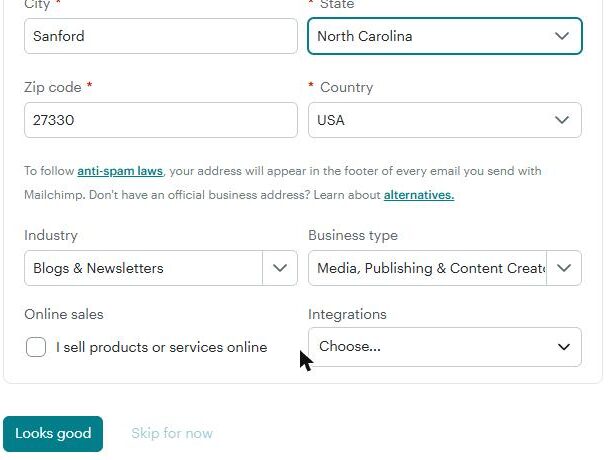
MailerLite asked more questions, including a mailing address you can't skip, and made us confirm our email before the dashboard opened. The account started on a trial of paid features. The good news is that MailerLite marks paid features with a "Premium" badge even during the trial, so it's easy to see what you'll keep.
Adding one contact took longer on Mailchimp. Its paste import walked us through seven screens. MailerLite's import flagged our Gmail "+" test addresses as suspicious until we told it to import them anyway.
Where each one makes you upgrade
Mailchimp's free plan limits how many users and audiences you get, and has no text messages. Its plan page says sending pauses if you go over the contact or email limits. Removing the Mailchimp badge is paid, and some templates are paid.
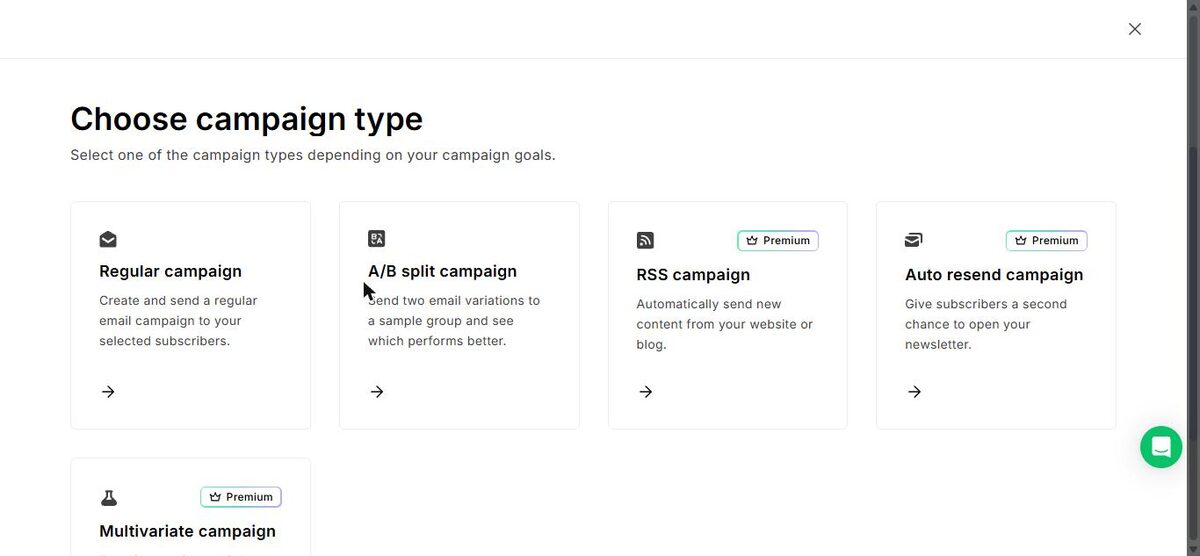
MailerLite's free plan keeps regular campaigns, A/B split campaigns and simple automations. RSS campaigns, auto resend, multivariate tests and multi-trigger automations are Premium. Removing the "Sent by MailerLite" badge is paid.
Both cap your list and your monthly emails. We don't print the numbers because both companies change them. Check Mailchimp's and MailerLite's own pricing pages.
Deliverability: a tie in our test
Both tools swapped our Gmail address for one on their own sending domain, and both emails reached Gmail's main inbox. MailerLite's arrived within about a minute. Mailchimp's campaign sat at "Sending" for several minutes first, which looked like a check on new accounts, then landed in the inbox.

That puts both on the inbox side of our spam test. One send from a new account is a small test, so connect your own domain before you email real subscribers.
Which one fits your situation?
You run a local business and want a signup form on your site plus a monthly email. MailerLite fits better. The form is ready to embed. Its simple welcome template shows no paid badge, though we haven't yet seen it send on the plain free plan.
You're new to email and want hand-holding. Mailchimp's setup did more of the work for us, and its name is familiar to customers and staff. Just ignore the trial offer and pick "Continue free".
You'll have more than one person sending. Mailchimp's free plan has a single seat. Plan to share one login or upgrade.
Our pick
MailerLite. In our test it gave us more for free: a ready signup form, simple automations and clear labels on what's paid. Read our MailerLite free plan review for the fixes to make on day one.
Choose Mailchimp instead if you value a familiar tool and a guided setup, and you'll mostly send one newsletter at a time. Our Mailchimp free plan review shows how to find the free option. Want to weigh more tools? Use our side-by-side compare tool.