
MailerLite vs Brevo: Which Free Email Plan Is Better?
Both tested on the free plan · November 2026
We set up a fresh free account on each, added a test contact and sent a short email to a Gmail inbox. Both landed in the inbox. Short answer: MailerLite's free plan includes more marketing tools, like a ready signup form, simple automations and A/B split campaigns. Brevo is simpler, skips the trial, and suits occasional newsletters, but it wants your phone number before you send.
Quick answer
Pick MailerLite if you want to grow a list with a signup form and greet new subscribers automatically, for free.
Pick Brevo if you send a newsletter now and then and want a plain, quick campaign builder with no trial to sort out.
Side by side, on the free plans
| MailerLite | Brevo | |
|---|---|---|
| Where our test email landed | Gmail inbox, within about a minute | Gmail inbox, about six minutes after sending |
| Sender when using a Gmail address | Rewritten onto MailerLite's own domain | Rewritten onto Brevo's own domain |
| Starts on a paid-feature trial | Yes | No, straight to the free plan |
| Phone number needed | No | Yes, before your first campaign |
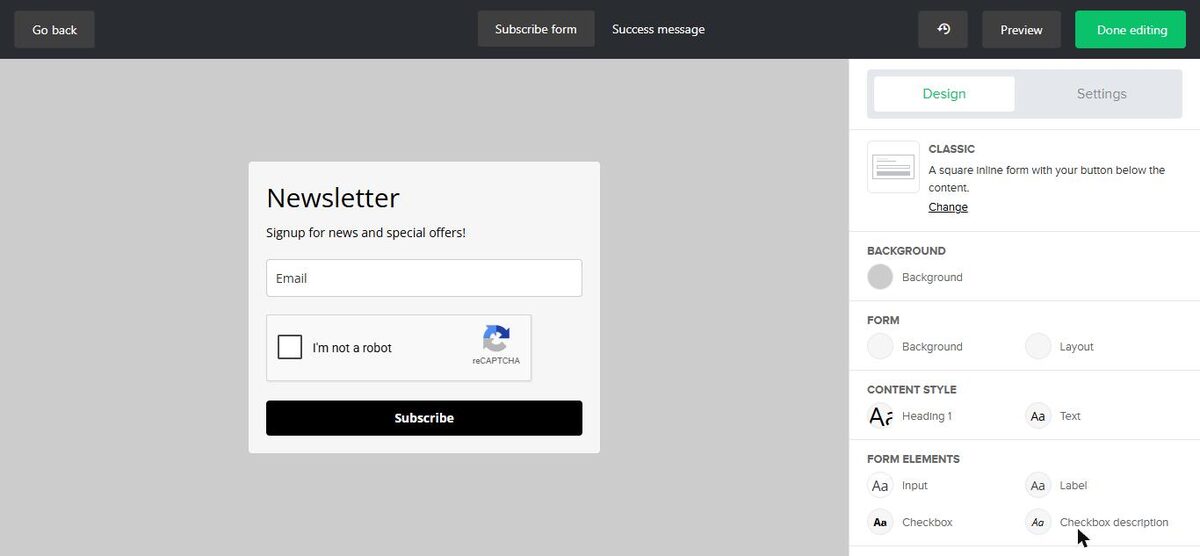
| Signup form | Included free embedded form, double opt-in and reCAPTCHA on | Not tested |
| Simple welcome automation | Not confirmed no paid badge on the template | Not tested |
| A/B tests | Included free A/B split campaigns | Paid only |
| Landing pages | Not tested | Paid only |
| How paid features are marked | "Premium" badge | Crown icon |
| Sending limits | Monthly cap on subscribers and emails | A daily sending allowance |
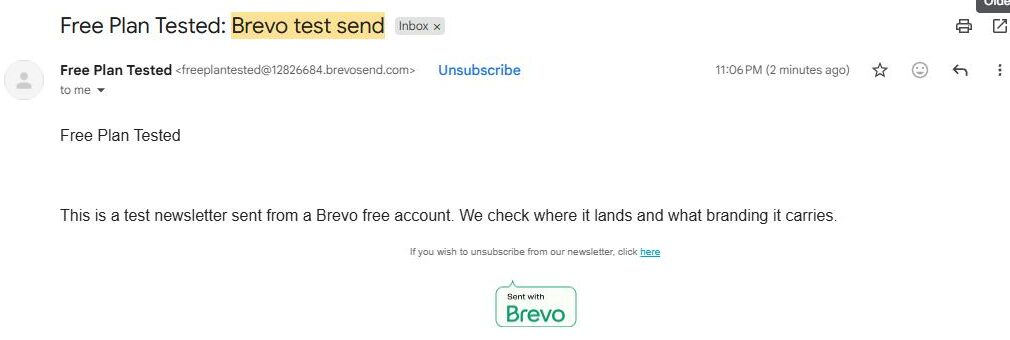
| Branding on free emails | "Sent by MailerLite" badge | "Sent with Brevo" badge |
Setting up the same project on both
MailerLite asked several setup questions, including a mailing address you can't skip, and made us confirm our email first. The account then started on a trial of paid features. Its in-app plan picker only listed paid plans, so check the public pricing page to see what's free. On the plus side, MailerLite marks paid features "Premium" even during the trial.
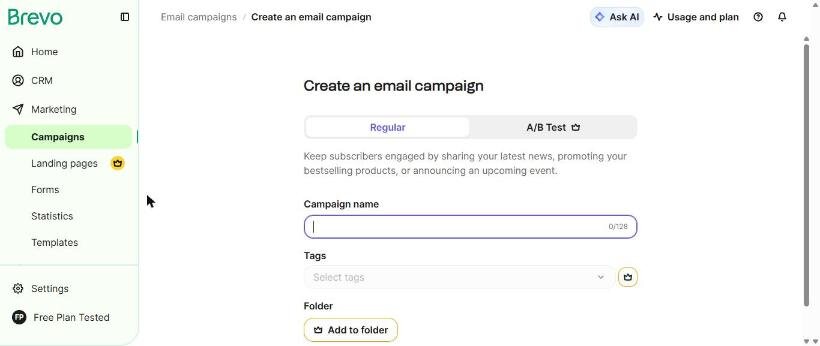
Brevo asked for our name, organization, website and address, then dropped us on the free plan with no trial. Its address field rejected the "#" sign, so we wrote "Unit" instead. When we went to send, Brevo asked us to verify a phone number by text.
Where each one makes you upgrade
MailerLite keeps regular and A/B split campaigns and simple automations on free. RSS campaigns, auto resend, multivariate tests and multi-trigger automations are Premium. Removing the badge is paid.
Brevo puts A/B tests, landing pages, best-time sending, sending in batches, tags, folders, WhatsApp and push messages behind its crown. Removing the "Sent with Brevo" badge is paid.
We don't print limits or prices because both companies change them. Check each tool's pricing page.
Deliverability: both reached the inbox
Both swapped our Gmail address for one on their own sending domain, and both emails landed in Gmail's main inbox. MailerLite's was faster, at about a minute. Brevo's took about six minutes. Both are on the inbox side of our spam test.
Which one fits your situation?
You want to grow a list from your website. MailerLite. The signup form is ready to embed, and its simple welcome template shows no paid badge.
You send an update now and then. Brevo. No trial, a simple checklist builder, and a daily allowance that suits small, occasional sends.
You'd rather not share a phone number. MailerLite didn't ask for one in our test.
Our pick
MailerLite, for most small businesses. It gives more for free, and its "Premium" labels make the limits easy to see. Read our MailerLite review.
Choose Brevo instead if you just need occasional newsletters and want to skip the trial. Read our Brevo review, or line them up in our compare tool.